Side and rear views
Check whether the main message works from more than one viewing angle.
Explore original concept visualizations across four vehicle types. Use the designs to compare coverage, contrast and message placement for your own brief.
These images are design concepts, not completed customer projects.
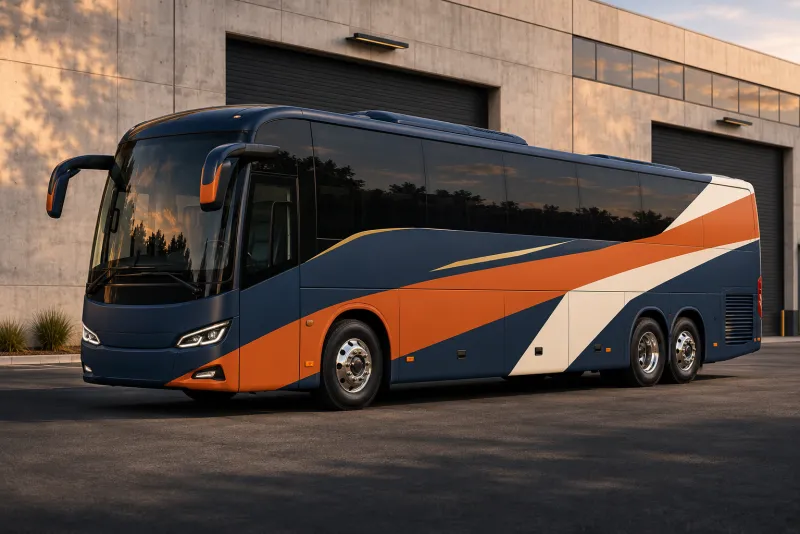 View bus concept larger
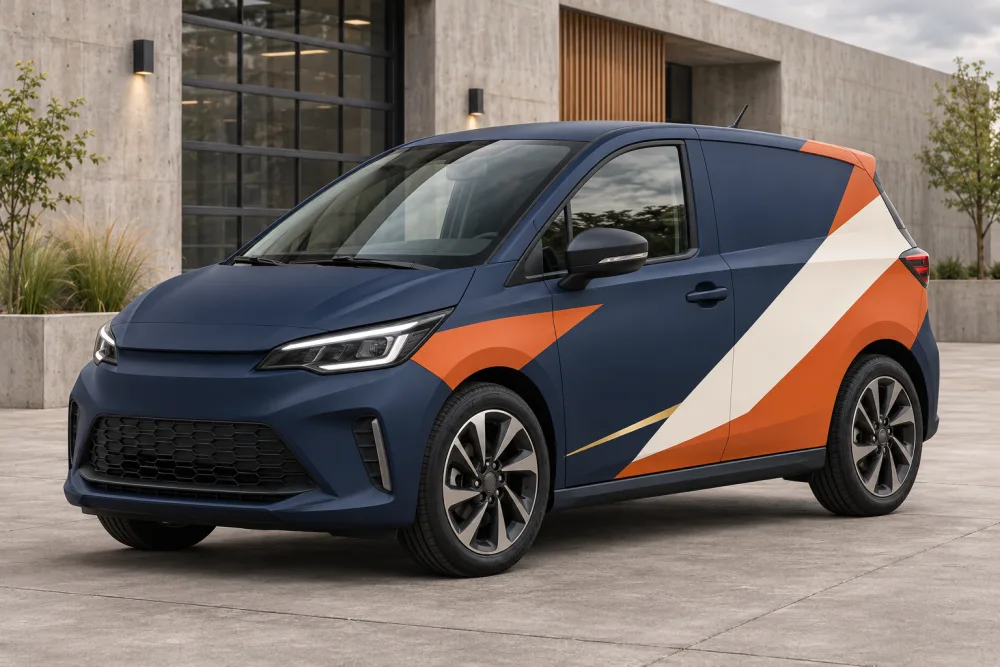 View car concept larger
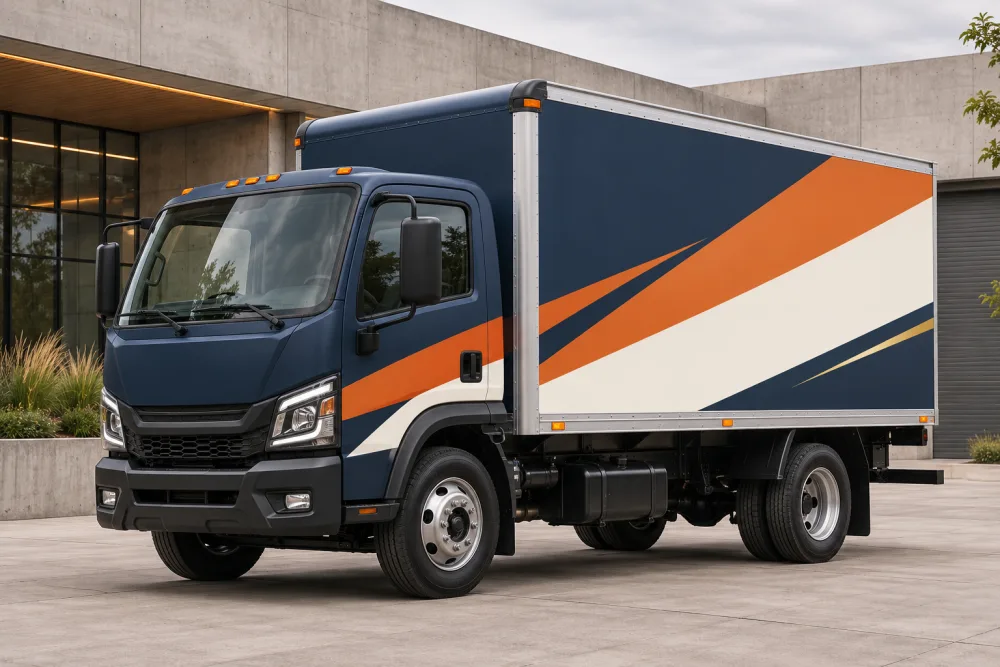 View truck concept larger
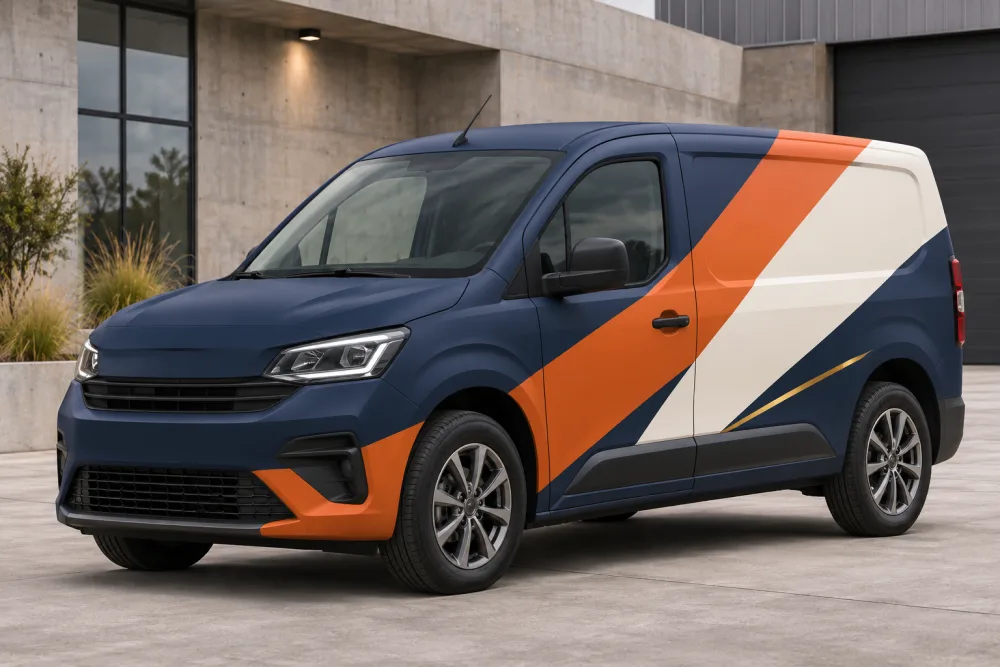 View van concept larger
View the vehicle from the side, front and rear. Notice where a logo sits, how the main message reads at a glance and whether the design still works across doors and body panels.
The gallery presents concept visualizations for inspiration. It does not represent completed customer installations, measured advertising results or vehicle-brand partnerships.
Pick the elements you like: bold side panels, a restrained partial wrap or a clear rear-door message. Then note your vehicle’s actual dimensions, existing paint color and functional details.
A concept is a starting point. Final artwork needs measured templates, vehicle photographs, material selection and approval before production.
Check off each step as you prepare.
Your progress is kept only on this page.
Choose the category closest to your vehicle. Open the larger images to inspect the layout rather than judging from thumbnails alone.
Identify what you notice first in each concept. Compare the business name, service description and contact detail for clarity.
Look at photographs of your own vehicle alongside the concept. Note doors, windows and hardware that would require a different layout.
Save notes on the coverage, contrast and placement you prefer. Treat the concept as visual direction; final artwork needs measurements and approval.
0 of 4 steps complete
A useful design reference should help you make a clearer brief.
Check whether the main message works from more than one viewing angle.
Judge the business name and main message at a realistic distance.
Consider how handles, openings, and panel gaps interrupt graphics.
Notice how uncovered areas affect a partial-wrap layout.
Adapt inspiration to your actual body style rather than copying its dimensions.
Have the measured artwork and material choices checked before printing.
Understand the concepts, compare designs, and turn visual ideas into a practical brief.
9 questions
They are original concept visualizations of commercial vehicle graphics. They show layout ideas rather than completed customer work.
Use the bus, car, truck and van filters to narrow the gallery. The complete collection is available through the All filter.
Select an image to open the larger view. Use the previous and next controls to browse, then close the view to return to the gallery.
No. Final coverage must be specified for your vehicle, including the panels, roof, bumpers and any approved window areas.
Check the size of the business name, the contrast behind the text and the placement of the contact detail. Consider how doors, handles and panel breaks would affect the message.
The colors and visual direction can inform a new brief. The artwork still needs to be fitted to the actual dimensions, doors and equipment.
A screen image cannot establish the final printed color. Discuss the production proof and material finish with the provider before approving artwork.
Choose the design that communicates clearly. Fine detail and small text may be difficult to read when a vehicle is moving or viewed from farther away.
Note the vehicle type, coverage, color balance and message placement. Pair those preferences with photographs of your own vehicle when preparing the brief.
No matching questions. Try another topic or clear the search.
Prepare your vehicle details, preferred coverage, and questions before requesting an estimate.